Work Anywhere Comfortably With a Portable Adjustable Desk
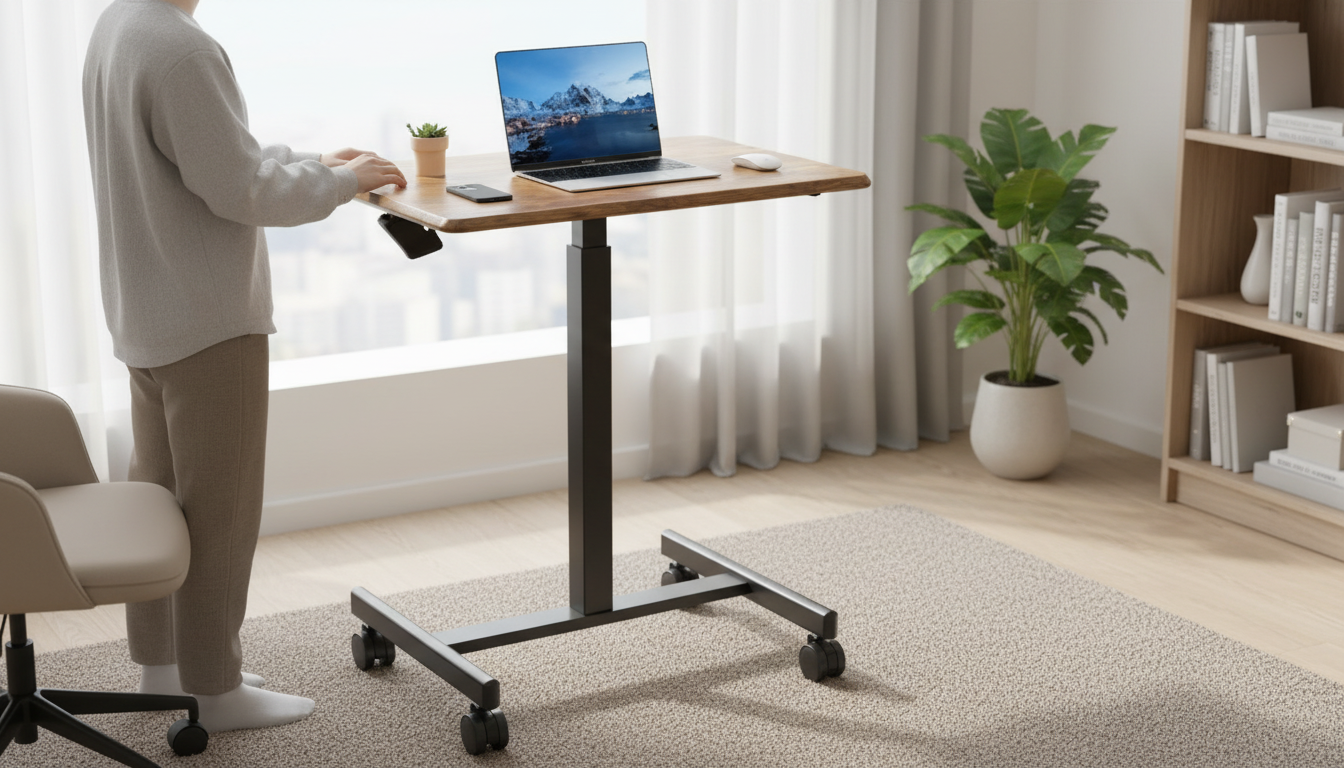
Portable Height-Adjustable Laptop Desk for Comfortable Work Anywhere
A portable height-adjustable laptop desk helps turn a couch, bed, kitchen counter, or small apartment corner into a more comfortable workstation. The right setup can reduce neck and wrist strain, improve screen positioning, and make it easier to alternate between sitting and standing—without committing to a full-size desk.
What a portable height-adjustable laptop desk is built to do
Unlike a fixed lap desk or a full-size workstation, a portable adjustable laptop desk is designed for flexibility first. It’s meant to move with you and adapt to whatever surface you’re working from—then store away when the workday is done.
- Raise your screen toward a more natural eye level to reduce neck bending.
- Create a stable work surface for typing, writing, or using a mouse when a proper desk isn’t available.
- Support posture changes (sit/stand/perch) with quick height adjustments.
- Pack away easily for small homes, shared spaces, dorm rooms, or travel.
- Define a “work zone” that helps separate work mode from rest mode, even in a bedroom.
Who benefits most from a portable adjustable laptop desk
Portable desks aren’t only for travel—they’re a practical upgrade for anyone whose work setup changes throughout the day.
- Remote and hybrid workers rotating between rooms, seats, or surfaces.
- Students who study on a bed or couch and want a steadier, more ergonomic setup.
- Apartment dwellers who need a compact workstation that stores in a closet or under a bed.
- Anyone managing discomfort who needs flexible positioning while recovering or building better habits.
- Creators and hobbyists who want a mobile surface for journaling, sketching, or light crafting.
Key features that matter for comfort and daily use
Comfort comes down to how well the desk fits your body and your space. Before choosing a model, focus on the features that affect daily usability—especially if you’ll adjust it multiple times per day.
Height range
A wider height range helps the desk work with different seating heights (couch vs. dining chair) and makes standing use more realistic. If you’re taller or prefer a higher screen position, make sure the maximum height won’t force a forward hunch.
Stability (especially at taller settings)
Some portable desks feel solid low to the ground but wobble when raised. If you type heavily, stability will matter more than almost any other feature because small shakes become constant distractions.
Desktop size
Measure your laptop footprint and decide whether you also need space for a mouse, mouse pad, phone, or notepad. A little margin around the laptop can make the setup feel far less cramped.
Edge design and wrist comfort
A rounded or softened front edge can reduce pressure during longer work blocks. If the edge is hard and sharp, it can encourage wrist bending or discomfort over time.
Portability and storage
“Portable” should mean easy to move without making it a project. Consider weight, how flat it folds, and whether it can slide under a bed or tuck into a closet.
Surface practicality and heat management
For broader workstation ergonomics guidance, reputable references like OSHA’s Computer Workstations eTool and the Mayo Clinic’s office ergonomics guide offer practical posture checkpoints that apply whether you’re at a full desk or a compact portable setup.
Quick setup for better posture (without overthinking it)
At-a-glance checklist: what to compare before buying
| What to check | Why it matters | Quick rule of thumb |
|---|---|---|
| Height range | Determines whether it works for your seating/standing setups | Choose a range that covers your lowest seat and your tallest standing posture |
| Stability at max height | Reduces wobble while typing and protects devices | If it shakes with light pressure, it will annoy you daily |
| Desktop size | Affects comfort and whether accessories fit | Laptop fits with a little margin; add space if using a mouse |
| Portability | Determines whether you’ll actually move/store it | Light enough to carry one-handed; folds flat if storage is tight |
| Edge comfort | Improves long-session typing comfort | Prefer a rounded/softened front edge |
| Surface grip & cleanability | Prevents sliding and simplifies maintenance | Wipe-clean finish; consider a non-slip mat if needed |
Product spotlight: Portable Height-Adjustable Laptop Desk
If you want one piece of gear that can follow you from the couch to a chair to a standing break, the Portable Height-Adjustable Laptop Desk is a practical option for flexible daily use. It’s designed to support quick height changes, making it easier to vary posture throughout the day—especially in small spaces where a permanent desk setup isn’t ideal.
Other space-smart options for small homes
- Stainless Steel Kitchen Work Table with Wheels for a larger, mobile surface that can serve as a multipurpose standing-height workstation in open-plan spaces.
- Foldable Utility Shopping Cart with Wheels & Telescopic Handle for moving supplies (chargers, notebooks, peripherals) between rooms and keeping a compact “work kit” together.
Care, safety, and long-term use tips
FAQ
Can a portable height-adjustable laptop desk be used while standing?
Yes—provided the height range reaches a comfortable standing elbow height. Stability becomes more important at taller settings, and alternating between sitting and standing can help reduce fatigue from staying in one posture too long.
How high should a laptop screen be for comfortable viewing?
Aim for the top of the screen to sit around eye level or slightly below. If you raise the laptop significantly, an external keyboard and mouse can help keep your wrists and shoulders in a more natural position.
How do you keep a laptop from sliding on an adjustable desk?
Use a non-slip mat and keep the desk level whenever possible. If your desk supports tilting, avoid steep angles for typing-heavy work, and make sure the surface texture provides enough grip.









Leave a comment